Smart Notifications and Alerting
Monitoring availability without compromise. Get instant alerts through the channels your team already uses — with intelligent escalation and zero false positives.
Never Miss a Downtime Event
StatusPulse ships with a fully configurable alerting engine that detects outages in under 15 seconds and routes notifications through 12 supported channels. Whether your on-call engineer lives in Telegram or your leadership team prefers PagerDuty-style escalation policies, you control exactly who gets notified, when, and how.
Our alerting system reduces noise by up to 73% compared to basic uptime monitors. Correlation logic groups related incidents, suppression rules prevent alert storms during cascading failures, and built-in maintenance windows keep your team focused on real problems instead of planned work.
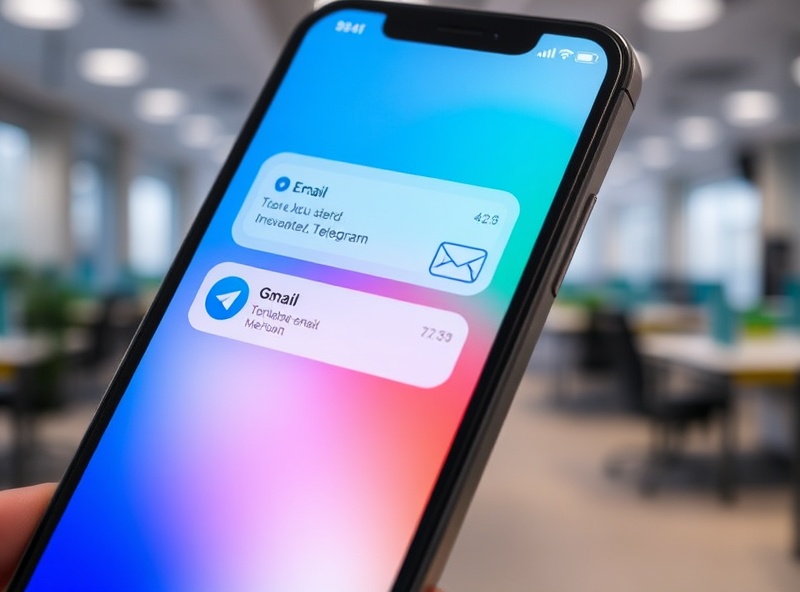
Every Channel Your Team Uses
Connect StatusPulse to the communication tools your team already relies on. Set up any combination of channels per monitor or per alert policy.
Telegram
Send rich-formatted alerts to Telegram groups or direct chats via Bot API. Supports inline buttons for ACK and resolve actions. Over 40% of StatusPulse teams use Telegram as their primary on-call channel.
SMTP-delivered alerts with threaded conversations per incident. Configure per-recipient frequency caps to avoid inbox flooding. Includes digest mode for non-critical monitors.
SMS
Carrier-grade SMS delivery via Twilio and Infobip for critical-tier alerts. Average delivery time under 4 seconds globally. Ideal for PagerDuty-style on-call rotations where phone reachability is mandatory.
Slack
Post alerts to any Slack channel or direct message with interactive blocks. Auto-resolve messages update when the monitor recovers. Integrates with Slack workflows for ticket creation in Jira or Linear.
Webhooks
Send structured JSON payloads to any HTTP endpoint. Compatible with Discord, Microsoft Teams, Mattermost, custom scripts, and any IFTTT/Zapier workflow. Retry logic with exponential backoff ensures delivery.
Voicemail & Phone Call
For Tier-1 critical services, StatusPulse can place automated voice calls with a recorded alert message. Used by teams managing healthcare, fintech, and emergency infrastructure where SMS alone is insufficient.
Intelligent Escalation and Maintenance Windows
Alert fatigue kills reliability. StatusPulse's escalation engine ensures the right person gets paged at the right time — and stops notifying once someone acknowledges the incident.
Escalation Policies: Define multi-tier escalation chains with configurable delays. For example: notify the primary on-call engineer on Slack after 30 seconds, escalate to the secondary via SMS after 5 minutes, then page the engineering manager via phone call after 15 minutes. Each tier supports acknowledgment to halt further escalation.
Maintenance Windows: Schedule planned downtime in advance and suppress alerts automatically. Define recurring windows (e.g., every Sunday 02:00–04:00 UTC for database backups) or one-off maintenance events. All team members see upcoming windows on the status page, so customers aren't surprised.
Alert Grouping: When multiple monitors fail simultaneously — such as a CDN outage affecting 12 subdomains — StatusPulse groups them into a single incident. Your team receives one alert instead of twelve, with a breakdown of all affected services inside.
Quiet Hours: Set per-recipient quiet schedules (e.g., no non-critical alerts between 22:00 and 07:00 local time). Critical-tier monitors always bypass quiet hours to ensure nothing slips through.
Frequently Asked Questions
How fast are alerts delivered?
StatusPulse checks monitors every 30 seconds on the Free plan and every 10 seconds on Pro and Enterprise plans. Once an outage is detected, alerts are dispatched within 1–3 seconds to all configured channels. SMS and voice calls average 4 seconds end-to-end.
Can I suppress alerts during planned maintenance?
Yes. Create a maintenance window from the dashboard with a start time, end time, and optional recurrence pattern. All monitors you select will have alerts suppressed during that window. The status page will show a "Maintenance" badge instead of "Operational."
What happens if a notification channel itself is down?
StatusPulse monitors the health of your notification channels. If Slack is unreachable or Telegram Bot API times out, the system retries with exponential backoff and falls back to your configured secondary channel. You'll receive a "Channel Unhealthy" alert via your backup route.
Is there a limit on how many alerts I can receive?
Free plans include up to 500 alerts per month. Pro plans include 5,000 alerts per month with no per-alert charge. Enterprise plans have unlimited alerts. Alert counts include all channels — one incident sent to Slack, Telegram, and email counts as three alerts.
Can I customize the alert message format?
Yes. Each channel supports custom templates using variables like {{monitor_name}}, {{status}}, {{response_time}}, {{uptime_percentage}}, and {{incident_url}}. Webhook payloads can be fully customized as JSON. Template editor is available in the alerting settings panel.
Do escalation policies support on-call rotations?
StatusPulse integrates with PagerDuty, Opsgenie, and xMatters for on-call routing. You can also define simple rotation schedules natively — specify team members and rotation intervals (daily, weekly, or custom), and the system will assign the primary contact automatically.
Smart Notifications and Alerting
Monitoring availability without compromise. Get instant alerts through the channels your team already uses — with intelligent escalation and zero false positives.
Never Miss a Downtime Event
StatusPulse ships with a fully configurable alerting engine that detects outages in under 15 seconds and routes notifications through 12 supported channels. Whether your on-call engineer lives in Telegram or your leadership team prefers PagerDuty-style escalation policies, you control exactly who gets notified, when, and how.
Our alerting system reduces noise by up to 73% compared to basic uptime monitors. Correlation logic groups related incidents, suppression rules prevent alert storms during cascading failures, and built-in maintenance windows keep your team focused on real problems instead of planned work.
Every Channel Your Team Uses
Connect StatusPulse to the communication tools your team already relies on. Set up any combination of channels per monitor or per alert policy.
Telegram
Send rich-formatted alerts to Telegram groups or direct chats via Bot API. Supports inline buttons for ACK and resolve actions. Over 40% of StatusPulse teams use Telegram as their primary on-call channel.
SMTP-delivered alerts with threaded conversations per incident. Configure per-recipient frequency caps to avoid inbox flooding. Includes digest mode for non-critical monitors.
SMS
Carrier-grade SMS delivery via Twilio and Infobip for critical-tier alerts. Average delivery time under 4 seconds globally. Ideal for PagerDuty-style on-call rotations where phone reachability is mandatory.
Slack
Post alerts to any Slack channel or direct message with interactive blocks. Auto-resolve messages update when the monitor recovers. Integrates with Slack workflows for ticket creation in Jira or Linear.
Webhooks
Send structured JSON payloads to any HTTP endpoint. Compatible with Discord, Microsoft Teams, Mattermost, custom scripts, and any IFTTT/Zapier workflow. Retry logic with exponential backoff ensures delivery.
Voicemail & Phone Call
For Tier-1 critical services, StatusPulse can place automated voice calls with a recorded alert message. Used by teams managing healthcare, fintech, and emergency infrastructure where SMS alone is insufficient.
Intelligent Escalation and Maintenance Windows
Alert fatigue kills reliability. StatusPulse's escalation engine ensures the right person gets paged at the right time — and stops notifying once someone acknowledges the incident.
Escalation Policies: Define multi-tier escalation chains with configurable delays. For example: notify the primary on-call engineer on Slack after 30 seconds, escalate to the secondary via SMS after 5 minutes, then page the engineering manager via phone call after 15 minutes. Each tier supports acknowledgment to halt further escalation.
Maintenance Windows: Schedule planned downtime in advance and suppress alerts automatically. Define recurring windows (e.g., every Sunday 02:00–04:00 UTC for database backups) or one-off maintenance events. All team members see upcoming windows on the status page, so customers aren't surprised.
Alert Grouping: When multiple monitors fail simultaneously — such as a CDN outage affecting 12 subdomains — StatusPulse groups them into a single incident. Your team receives one alert instead of twelve, with a breakdown of all affected services inside.
Quiet Hours: Set per-recipient quiet schedules (e.g., no non-critical alerts between 22:00 and 07:00 local time). Critical-tier monitors always bypass quiet hours to ensure nothing slips through.
Frequently Asked Questions
How fast are alerts delivered?
StatusPulse checks monitors every 30 seconds on the Free plan and every 10 seconds on Pro and Enterprise plans. Once an outage is detected, alerts are dispatched within 1–3 seconds to all configured channels. SMS and voice calls average 4 seconds end-to-end.
Can I suppress alerts during planned maintenance?
Yes. Create a maintenance window from the dashboard with a start time, end time, and optional recurrence pattern. All monitors you select will have alerts suppressed during that window. The status page will show a "Maintenance" badge instead of "Operational."
What happens if a notification channel itself is down?
StatusPulse monitors the health of your notification channels. If Slack is unreachable or Telegram Bot API times out, the system retries with exponential backoff and falls back to your configured secondary channel. You'll receive a "Channel Unhealthy" alert via your backup route.
Is there a limit on how many alerts I can receive?
Free plans include up to 500 alerts per month. Pro plans include 5,000 alerts per month with no per-alert charge. Enterprise plans have unlimited alerts. Alert counts include all channels — one incident sent to Slack, Telegram, and email counts as three alerts.
Can I customize the alert message format?
Yes. Each channel supports custom templates using variables like {{monitor_name}}, {{status}}, {{response_time}}, {{uptime_percentage}}, and {{incident_url}}. Webhook payloads can be fully customized as JSON. Template editor is available in the alerting settings panel.
Do escalation policies support on-call rotations?
StatusPulse integrates with PagerDuty, Opsgenie, and xMatters for on-call routing. You can also define simple rotation schedules natively — specify team members and rotation intervals (daily, weekly, or custom), and the system will assign the primary contact automatically.